
The all-in-one English app
Listen. Speak. Write.
All in one app.
Learn by producing, not just by reading.

7 days free / iOS & Android / no payment details required
The app interface is in Japanese; the screens in the demos below are shown as they appear in the app.
Conversation, composition, grammar and vocabulary — every angle covered. AI acts as your native English teacher, assessing and correcting what you write and say.
Today’s questions are queued up for you, so you can fit practice into spare moments. Even on a crowded train, the keyboard alone is enough to keep going.
+ Spaced repetition (SRS) Composition, grammar and vocabulary each come back before you forget them.
+ Native audio Every English sentence in the app can be played in a native voice.

AI conversation
Every scene is set up for you,
so you never wonder what to say
Practise in everyday and business situations you actually run into. Choose Beginner (A1–A2), Intermediate (B1–B2) or Advanced (C1–C2).

カフェで注文する
Hi! What can I get for you?
あなたの番・これを英語で言ってみよう回答例
ホットのカフェラテを一つお願いします。
音声入力
回答例を見る
表現できています
回答例
I'd like a hot latte, please.
ホットのカフェラテを一つお願いします。
次へ
This demo shows the first two exchanges of Script mode. The feedback that follows is what you get after completing all five.
More about this mode
In Script mode, you move the conversation forward by putting the prompt into English.
In Free mode, the conversation unfolds from whatever you choose to say.
When the conversation ends, you get feedback on the whole exchange.
Composition
Instant feedback on
the English you write.
Put the prompt into English and AI comes back with what to improve and other ways to say it.

昨夜は残業でした
あなたの回答
More about this mode
Practise in two modes: typing, or rearranging the words.
You get one overall assessment. Anything corrected is underlined, so you can read it back beside the model answer.
If something still doesn’t click, ask the AI coach without leaving the question.
Read it aloud and each word gets an A, B or C for pronunciation, with a tip for the words worth fixing.
Build the reflex of saying what you mean in English.
Grammar
Right or wrong,
you get the reason why.
Arrange the words to answer, and you get the verdict plus a model answer. Only the words you got wrong stay red, along with an explanation of why the sentence doesn’t work.
もし間違えたら
近所の人に、植木の水やりをしてもらいました。
主語: I
あなたの回答
More about this mode
The verdict, the model answer and the explanation are all exactly what the app returned.
Vocabulary
Not just the meaning —
how it’s actually used.
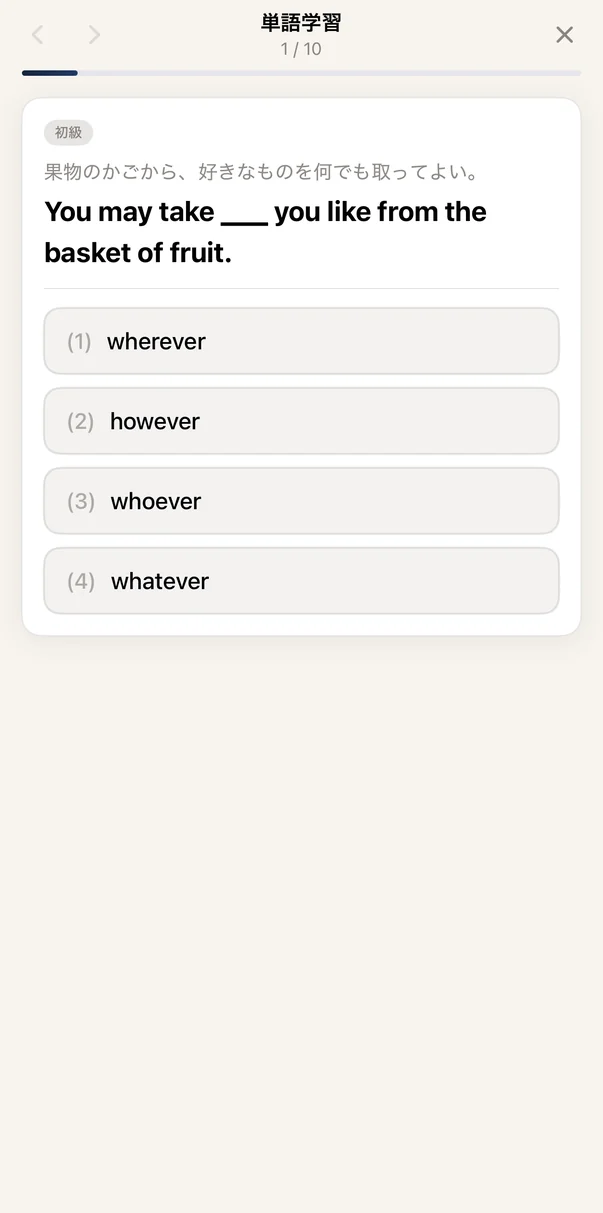
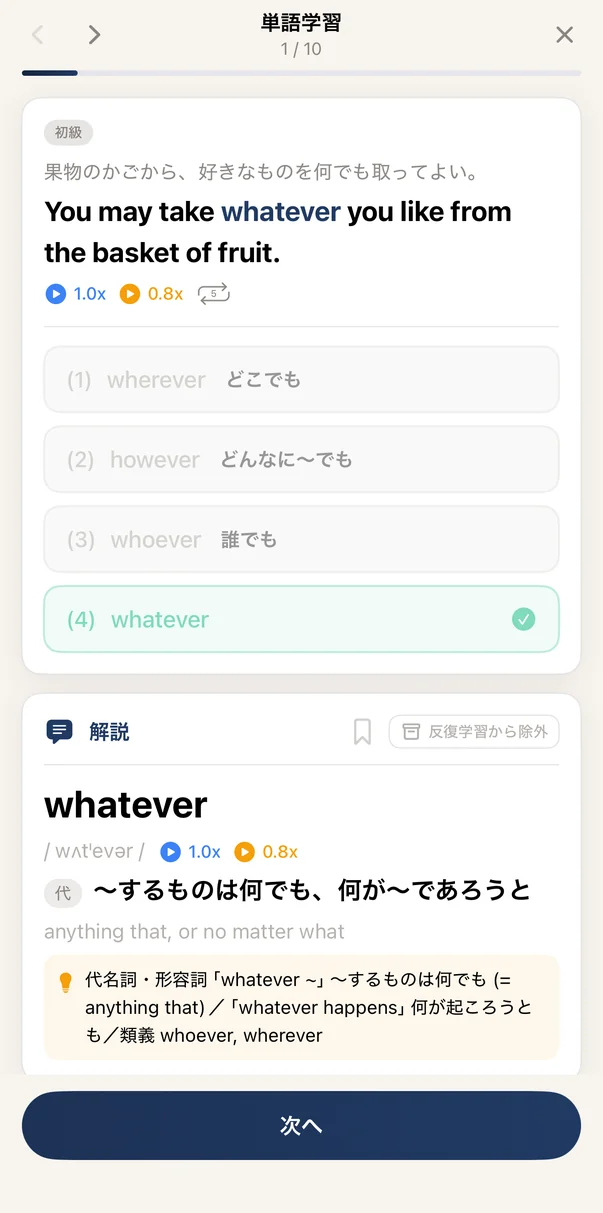
Fill the gap in a real example sentence, so you learn the word together with how it is used.
7,533 words, organised by level.
- Beginner to very advanced (CEFR A2–C2)
- Phonetic transcription and usage notes
- Audio for every example sentence (AI voice)
Start with 7 days free.
No credit card required / no automatic charge when the trial ends
Spaced repetition (SRS)
Make what you got right
harder to forget.
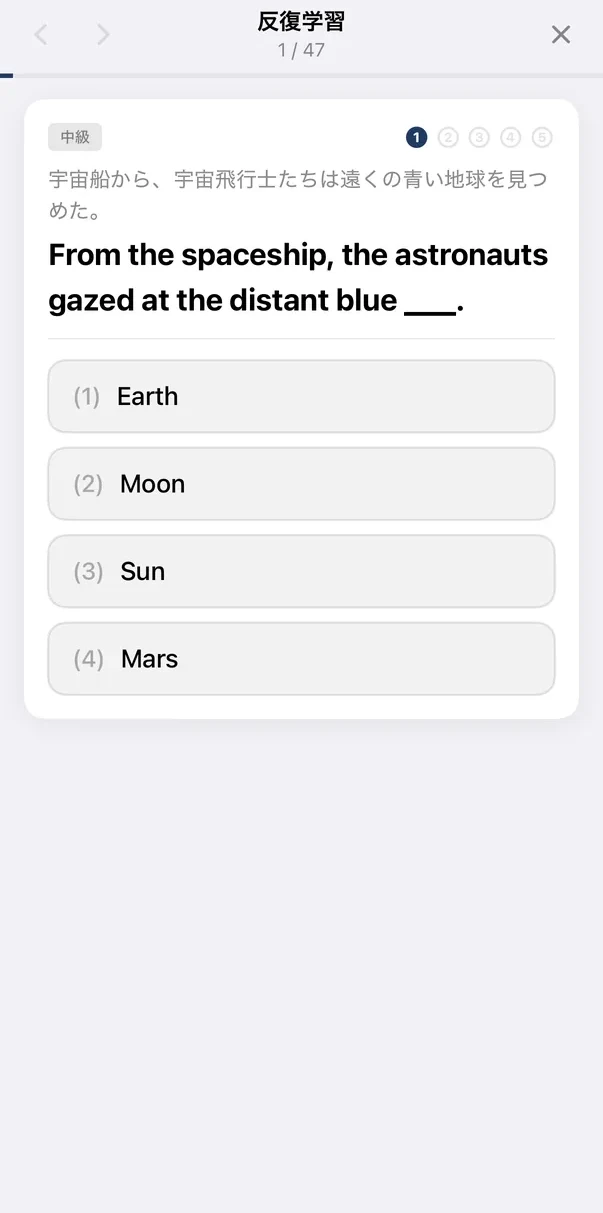
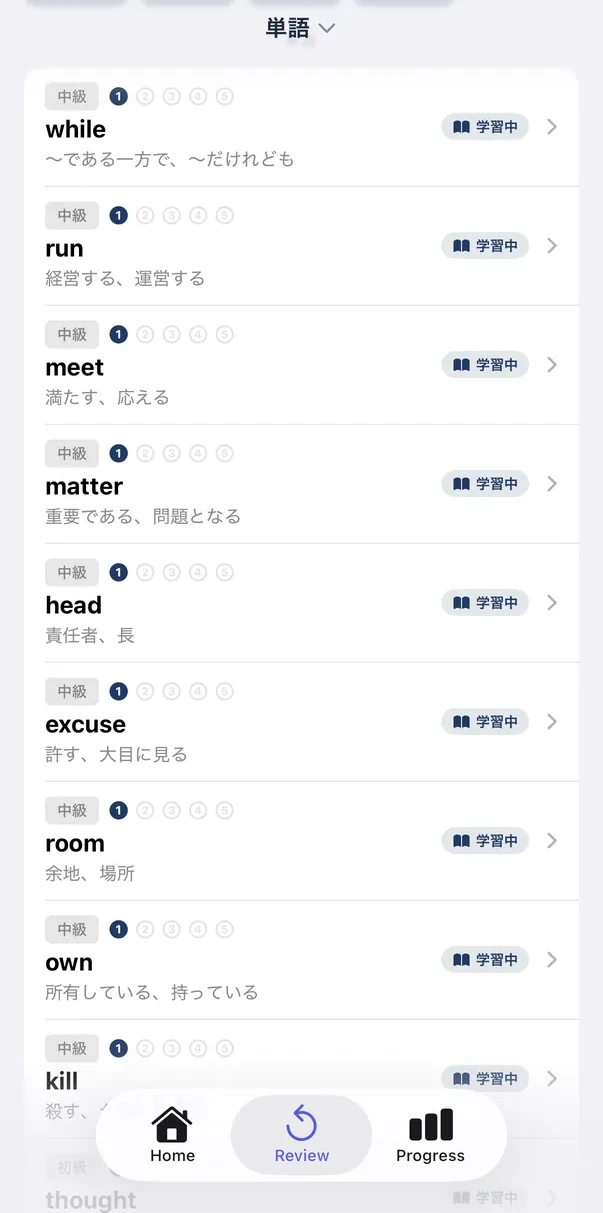
Questions you have answered come back at widening intervals — the next day first, then further apart or closer together depending on how you do.
- The gap before a question returns adapts to how you did (1 day → 3 → 7 → 21 → 60)
- Separate review for composition, grammar and vocabulary
- A “today’s review” queue keeps it a daily habit
- Bookmark any question to add it to your review list
Progress
See exactly
how much you’ve done.
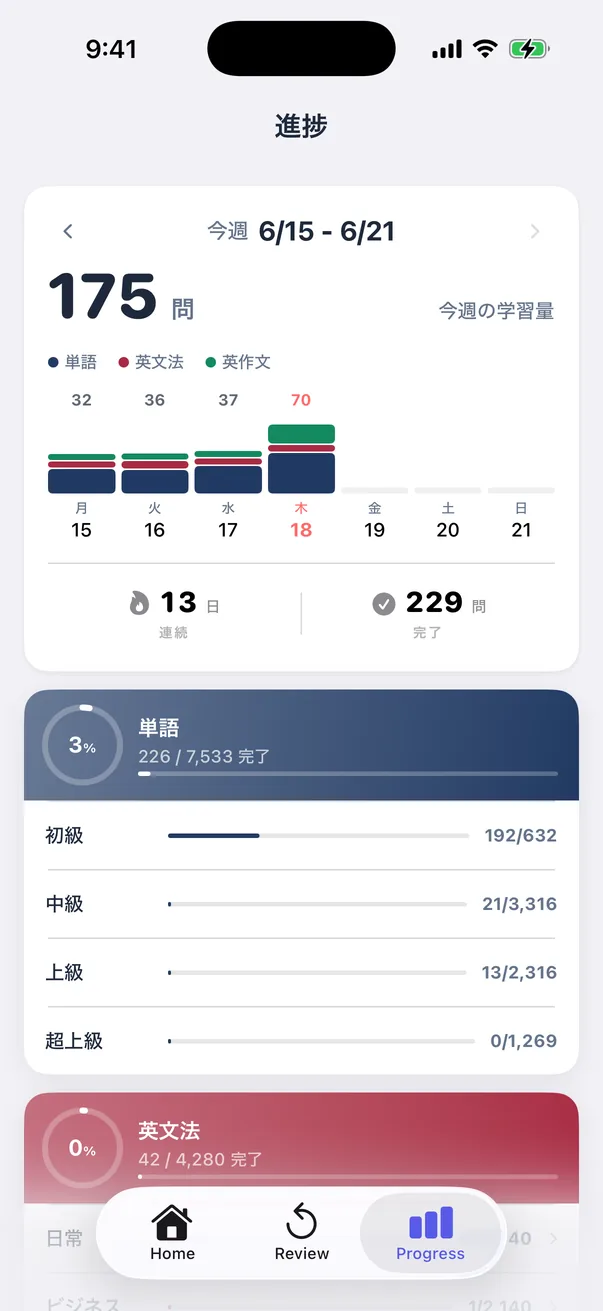
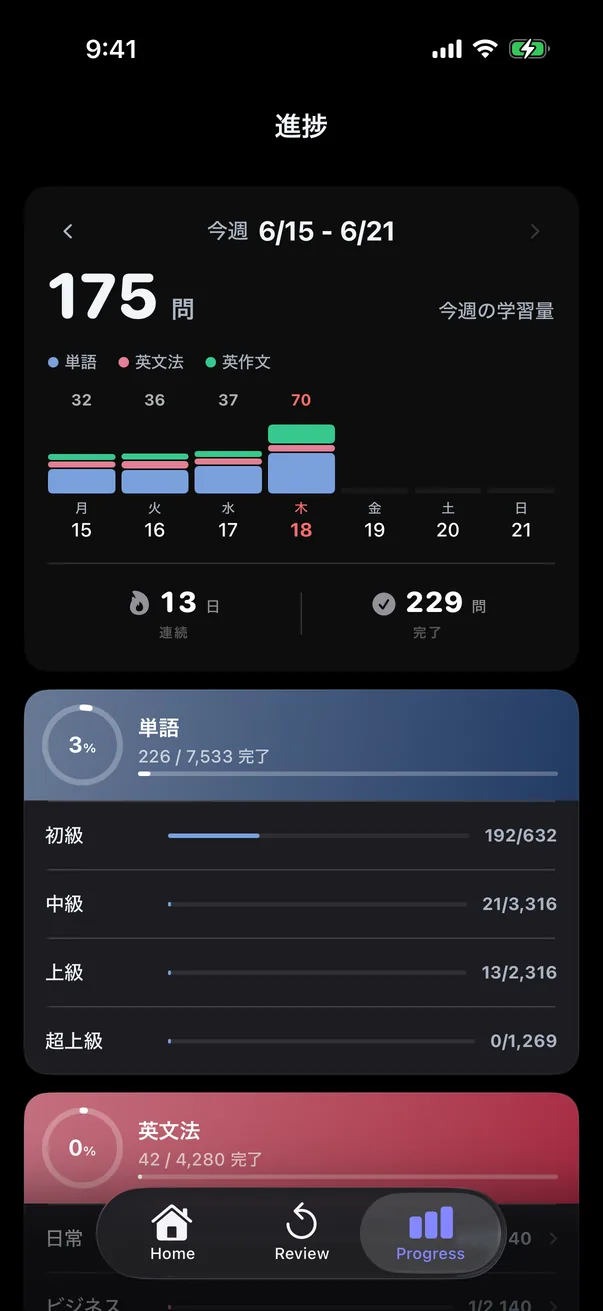
See how many questions you got through this week, stacked by mode.
- This week’s work, by day and by mode
- Your current streak and the total questions completed
- Completion rate per mode, broken down by level
Pricing
7 days free.
Then two plans.
No commitment during the free trial. Only if you like it do you pick Monthly or Yearly.
During the trial, AI conversation is limited to three a day. Paid plans have no limit.
Monthly
¥800/ month, tax included
- Every feature included
- Unlimited AI conversation
- AI corrections and pronunciation feedback
- Syncs across your devices
- Cancel any time
YearlySave 17%
¥8,000/ year, tax included (about ¥667 a month)
- Everything in Monthly, including unlimited AI conversation
- Paying yearly saves you about two months
- Best if you plan to keep going
- Cancel any time
Payment is charged to your store account (Apple ID or Google account) and renews automatically unless you cancel. You can manage or cancel your subscription at any time in your Apple ID account settings, or under Subscriptions in Google Play.
Learning English shouldn’t be expensive.
In the English learning market, subscriptions of several thousand yen a month are treated as normal. SnapEnglish started from a simple question: do those apps really offer enough value for the price? We build from the learner’s side — no splitting features across separate apps, everything in one.
Our aim is something you can keep up as a small daily habit, so we keep the price as low as we can.
FAQ
What people ask
before starting.
What is SnapEnglish?
Do I need to sign in to use the app?
Will I be charged automatically when the trial ends?
Can I keep using the app for free after the trial?
What are the system requirements?
Is it available for Android?
Do voice features work offline?
Can I connect it to Studyplus?
How to connect
1. Install the Studyplus app on your device and sign in
2. In SnapEnglish, open 設定 (Settings) and tap Studyplus 連携 (Studyplus integration)
3. Tap Studyplus と連携する (Connect to Studyplus) and approve it on the screen that appears
To stop, tap 連携を解除 (Disconnect) on the same screen.
Studyplus is a study-logging service for learners in Japan, and its app is in Japanese.
How is my personal data handled?
Contact
Questions, bug reports
and feature requests.
Get in touch any time.
Your message has been sent
If the acknowledgement email doesn’t arrive, please check your spam folder.
Get started
Try it free for 7 days.
All features are free for 7 days (AI conversation is limited to three a day). No commitment.